Behind the scenes: how hello-eme.ch is built, tested and shipped
A monorepo, a CI pipeline, deployment with Coolify, custom Payload plugins and an MCP server that lets AI assistants maintain the whole site – a look under the hood.
· 5 Min. Lesezeit
AI-generated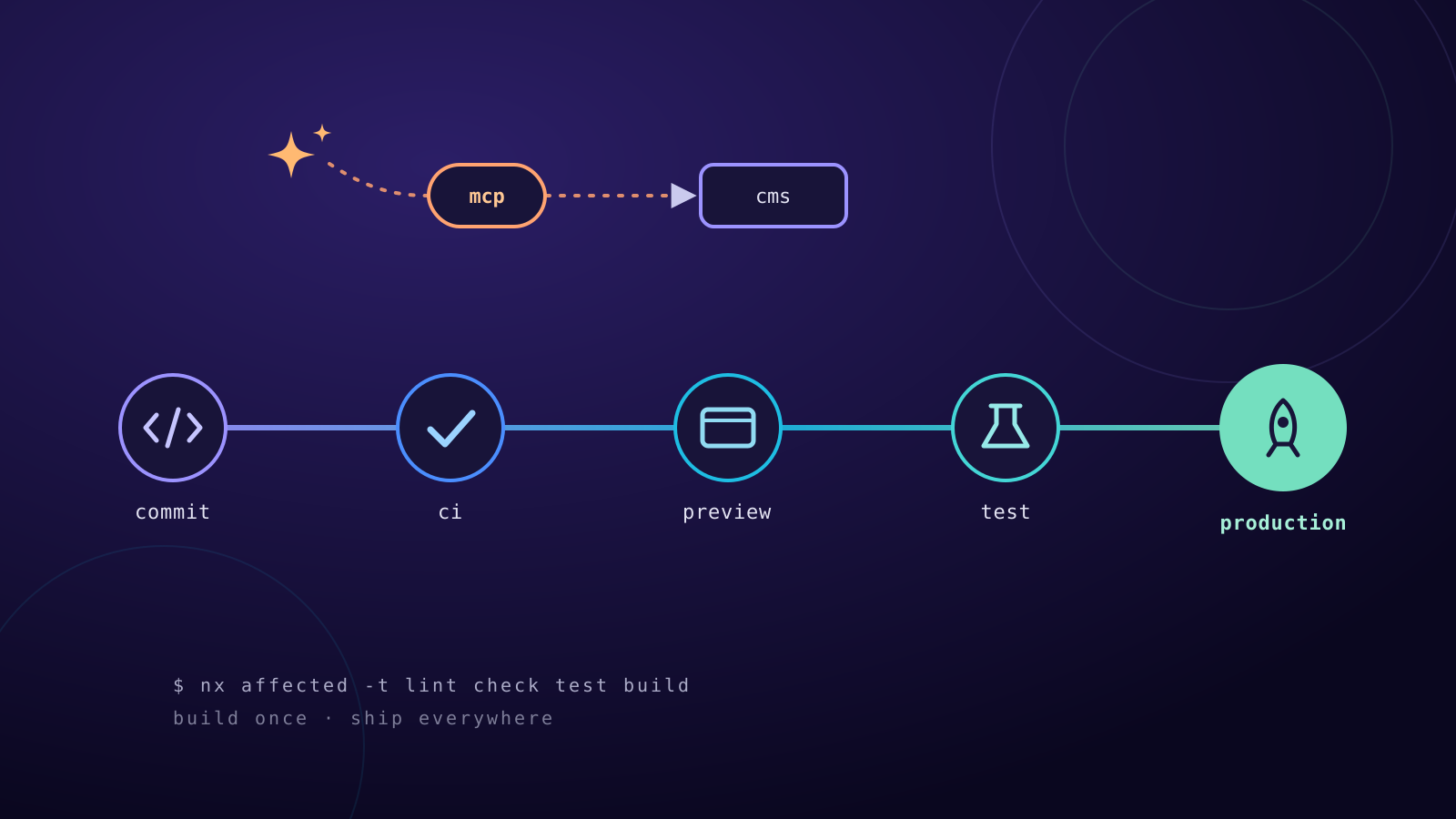
Note: This post was created with Claude (Anthropic's AI assistant) and written straight into the CMS through this website's MCP server – text, translation and cover image included. More on that below.
This website looks simple, and it's meant to. Underneath, though, is a small and fairly carefully built system. In this post I'll show how it fits together: from the setup through the pipeline to deployment, plus the plugins and the MCP server this text was created with.
The setup: one monorepo for everything
Everything lives in an Nx monorepo with npm workspaces:
- Website: SvelteKit with Svelte 5 (runes), TypeScript and Tailwind CSS v4
- CMS: Payload CMS 3 on Next.js, with SQLite as the database
- Design system: a shared package
@hello-eme/uiwith Svelte components and design tokens - Plugins: custom, reusable Payload plugins as separate packages
A second site/CMS pair for another project shares the same design system and re-brands with just a few color tokens.
A few principles run through all of it:
- Type-safe end to end:
strict, noany, no non-null assertions. Content types are generated from the CMS, never written by hand. - Tokens only: colors, sizes and shadows exist only as design tokens. A script checks on every commit that no raw values or arbitrary Tailwind classes end up in the markup.
- Dark mode lives in the tokens: colors are defined with
light-dark()– the site follows the OS but can also be toggled. - Accessibility (WCAG 2.2 AA): semantic HTML, visible focus, a contrast of at least 4.5:1 in both color schemes.
- Bilingual: German at
/, English at/en/, properly linked withhreflang.
Content: a page builder instead of fixed templates
Every page is a list of blocks – hero, text, project list, contact form, newsletter and so on. Every block in the CMS has its own Svelte component on the site; if one is missing, that's a type error and the build catches it.
On top of that come blog posts, projects and the Creative section for poems, texts and photos. They share one tag collection, and there are drafts, scheduled publishing, a live preview right in the editor, automatic redirects when a slug changes, search, a sitemap, RSS feeds and auto-generated social share images.
The pipeline: nothing ships unchecked
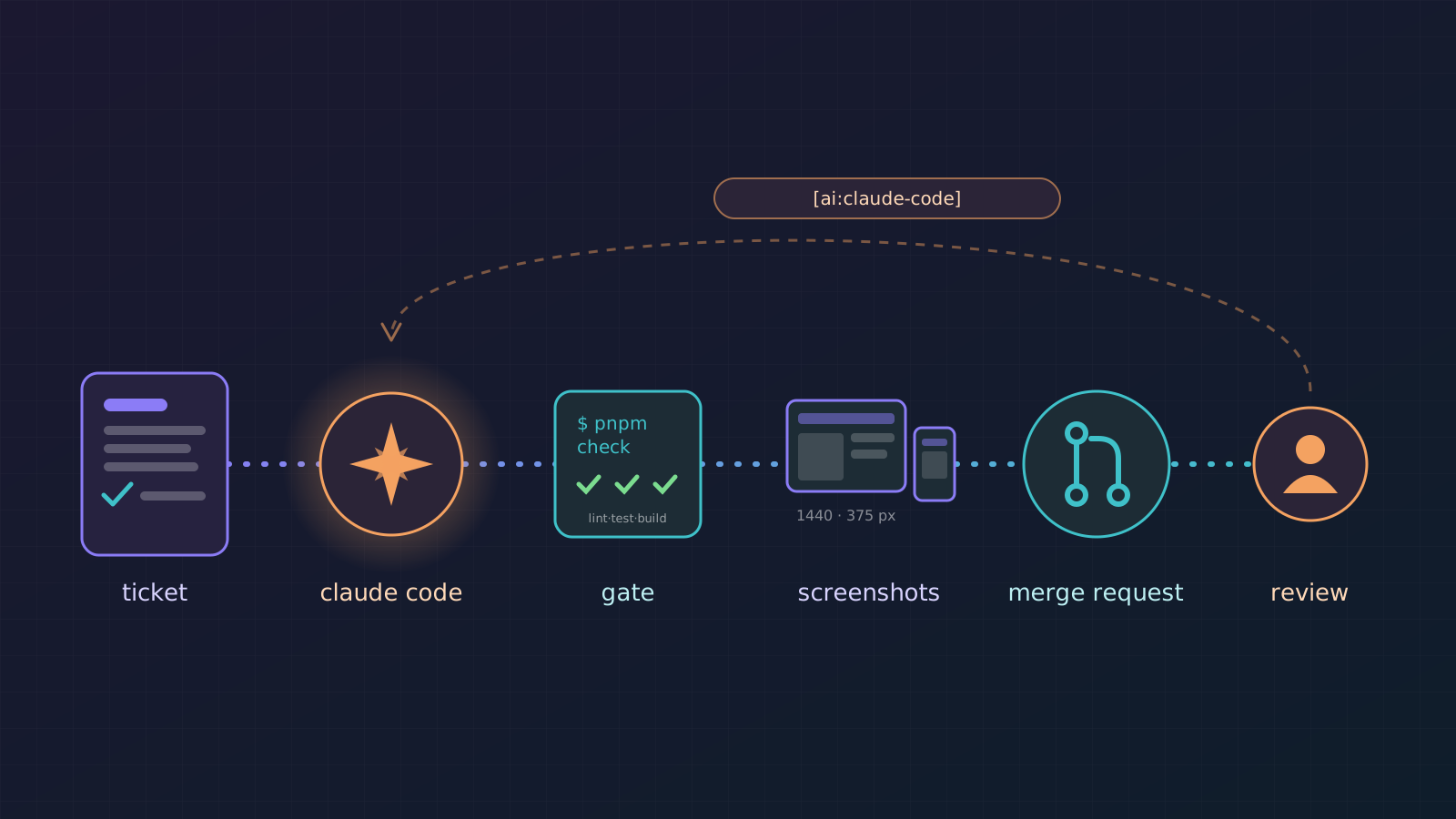
Git hooks catch the obvious things locally: before every commit Prettier, ESLint and the token check run; before every push, lint, type checks and tests of the affected projects. Commit messages follow Conventional Commits.
GitHub Actions then runs on every pull request and every merge to main:
- Formatting and the design-token check
nx affectedfor lint, type checks, unit tests and build – only for what actually changed- A migration check: if the CMS schema changed without a matching migration, the build fails. Production only ever runs migrations, so a forgotten one would otherwise only surface during deployment.
- End-to-end tests with Playwright: the CMS is seeded with sample content, then Playwright checks every route – including axe accessibility checks in both light and dark mode.
Deployment: build once, ship everywhere
The website and CMS run as Docker containers on my own server, managed with Coolify. There are three environments:
- Preview: every pull request gets its own environment on its own subdomain, including a copy of the test content. The link is posted to the PR automatically, and closing the PR cleans everything up again.
- Test: every merge to
mainbuilds the images, tags them with the commit hash and rolls them out to the test environment. - Production: one click on "Deploy production" – which also works from my phone – creates a release with the next version number, waits for approval and rolls it out.
The key point: production never rebuilds. It gets exactly the images that ran on test before, just with a new tag. What was tested is what goes live. After every deployment a smoke test checks the health endpoints and the home page. The CMS database is backed up daily.
Custom plugins
Payload is easy to extend with plugins. Besides the official ones (redirects, MCP, email) I wrote my own: @hello-eme/payload-plugin-medium.
It imports posts from Medium as drafts – via the post URL (through the RSS feed or the public page) or via the HTML file from the Medium export, which also covers drafts and member-only posts. Text, headings, lists, links, images, video embeds and code blocks are converted to Payload's rich-text format, and images go straight into the media library. The plugin is deliberately generic and works in any Payload project.
MCP: maintaining the site with an AI assistant
The most exciting part comes last. The CMS exposes an MCP server (Model Context Protocol). It lets AI assistants like Claude or ChatGPT edit everything the website shows: pages with all their blocks, posts, projects, creative works, media, tags, redirects and settings.
A few details that mattered to me:
- Standard sign-in via OAuth 2.1 with PKCE and dynamic client registration. In an app you just enter the server URL, then log in to the CMS and grant access.
- Granular permissions: read, drafts, publish and delete are granted separately. Every connection shows up in the CMS as its own key and can be revoked at any time.
- Drafts first: new pages, posts and works always land as drafts. Nothing goes live until it's explicitly published.
- Markdown as the language: rich text is read and written as Markdown – what language models understand best. Anything Markdown can't express comes back as JSON, so nothing is lost.
- Private stays private: contact messages, newsletter subscribers and CMS users are deliberately not reachable via MCP.
And yes: this very post was made that way. Claude read the code, wrote the text in German and English, drew the cover image and put everything into the CMS as a draft through the MCP server. I read it and approved it myself.
Conclusion
For a personal website, all of this may be a bit much. But that's exactly the fun of it: a system where quality doesn't depend on discipline but on checks that run automatically – and where writing, in the end, is still as easy as sending a message to an assistant.